
Payment Solutions
QuickBooks Payment Integration
Connect Your Payment Processing Directly to QuickBooks Online
Evolv's QuickBooks integration gives small and mid-sized businesses a simple way to automate their back-office processes. Sync payment data in real time, eliminate duplicate entry, and manage your account data without jumping between platforms.
Get Started with Evolv
QuickBooks
We will get back to you as soon as possible.
Please try again later.
Why Businesses Choose Evolv for QuickBooks
Eliminate Manual Entry
Transaction data syncs automatically with QuickBooks Online, removing the need for duplicate or manual data entry.
Real-Time Transaction Processing
Credit, debit, and check transactions are processed and recorded directly within QuickBooks Online as they happen.
Process Multiple Payment Types
Accept and sync payments from POS, ecommerce, mobile, recurring billing, and online bill pay through one integration.
Download Daily Transactions
View and download transaction data from all connected payment channels whenever you need it, in one place.
Syncs With

What's Included
Smart Invoices
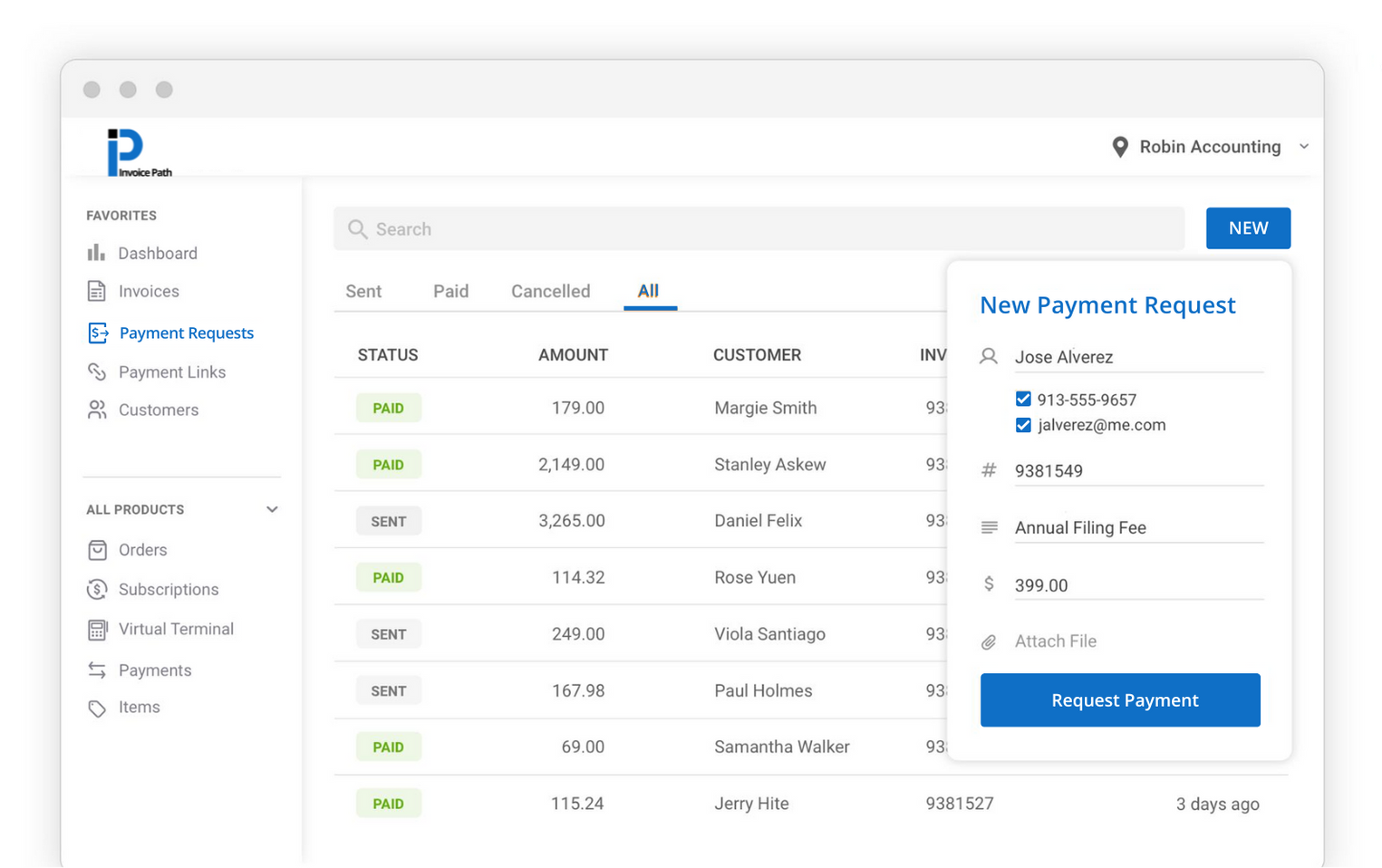
Payment Requests
Payment Links
Recurring Payments
Hosted Payments Page
Virtual Terminal
Card-on-File Requests
Easy-to-Use Dashboard
Branded for your Business
Customized User Access
Reporting
Manage Payments
Text and Email Services
Features
Payment Requests
Text-to-pay and email-to-pay process that gets 84% of invoices paid in less than a day.
Smart Invoicing
Create invoices and schedule payment requests in one step to save time.
Payment Links
Create payment links and QR Codes to share online in a few clicks.
Recurring Payments
Setup a payment plan and automatically charge your customer on a set schedule and amount.
Virtual Terminal
Never miss an opportunity to collect a payment with a virtual terminal.
Hosted Payment Page
Collect payments 24 hours a day by letting customers pay you from your website.
Payment Channels That Sync with QuickBooks
The Evolv QuickBooks integration connects with the payment tools your business already uses, so your accounting stays up to date without any extra work.
Point-of-Sale Systems
In-store POS transactions sync automatically, keeping your sales data and QuickBooks records aligned at all times.
eCommerce Platforms
Online sales from your website and connected marketplaces are pulled into QuickBooks with no manual reconciliation required.
Mobile Payments
Payments taken through the Evolv mobile app sync directly to QuickBooks wherever you take them.
Recurring Billing
Subscription and recurring payments post to QuickBooks automatically, making it easy to track ongoing revenue streams.
Online Bill Pay
Customer bill payments made through online portals are captured and synced in real time so your books stay current.
ACH & Check Payments
ACH debits and check transactions are recorded alongside card payments for a complete and accurate financial picture.
Built for Small & Mid-Sized Businesses
If you are already using QuickBooks Online to manage your finances, the Evolv integration removes the friction between taking payments and keeping your books accurate. No more manual reconciliation, no more duplicate entry, and no more end-of-month surprises.
Who this integration is for:
- Small businesses managing their own bookkeeping
- Service businesses with recurring or invoice-based billing
- Retailers syncing in-store and online sales
- Restaurants and hospitality businesses tracking daily revenue
- Nonprofits managing donation and payment records
- Any business looking to automate their accounting workflow
CONTACT EVOLV
Get Started With Evolv Today
Since 1998, Evolv has been providing the latest in payment acceptance to merchant and partners, nationwide. What started as a family-owned sales office in Boonville, Indiana has Evolv-ed over the years.
Founded in 1998 as Approval Payment Solutions (APS)
Rebranded to Evolv in 2021
General Support
We're here to help. In fact, Evolv prides itself on great customer service. Give us a call to talk to one of our friendly team members today!